AI crawlers play an important role in helping AI platforms discover and process web content. However, simply publishing content doesn’t guarantee these crawlers can access it. Settings like your robots.txt file, server configurations, and crawl permissions can determine whether AI bots are able to visit your pages.
In this guide, you’ll learn how to check if AI crawlers can access your site, identify common access issues, and ensure your content is available for AI-powered search experiences.
What Are AI Crawlers?
AI crawlers are automated bots that visit publicly accessible websites to discover and process web content. Similar to traditional search engine crawlers, they navigate webpages by following links and reading content. However, instead of indexing pages primarily for search results, AI crawler help power AI models and AI search experiences by collecting information that can be used to understand and retrieve web content.
AI Crawlers vs Traditional Search Engine Crawlers
Although AI Bot and search engine crawlers perform similar tasks, their purposes are different. Search engine crawlers, such as Googlebot and Bingbot, crawl and index webpages so they can appear in search engine results. AI crawler, on the other hand, are designed to discover publicly available content that supports AI-powered products, answer engines, and retrieval systems. Understanding this distinction is important when deciding how to let AI crawler access your site.
| Feature | AI Crawlers | Search Engine Crawlers |
|---|---|---|
| Primary Purpose | Discover content for AI systems | Index content for search results |
| Used By | AI platforms and answer engines | Search engines |
| Controlled By | robots.txt directives |
robots.txt directives |
How AI Crawlers Collect Website Information
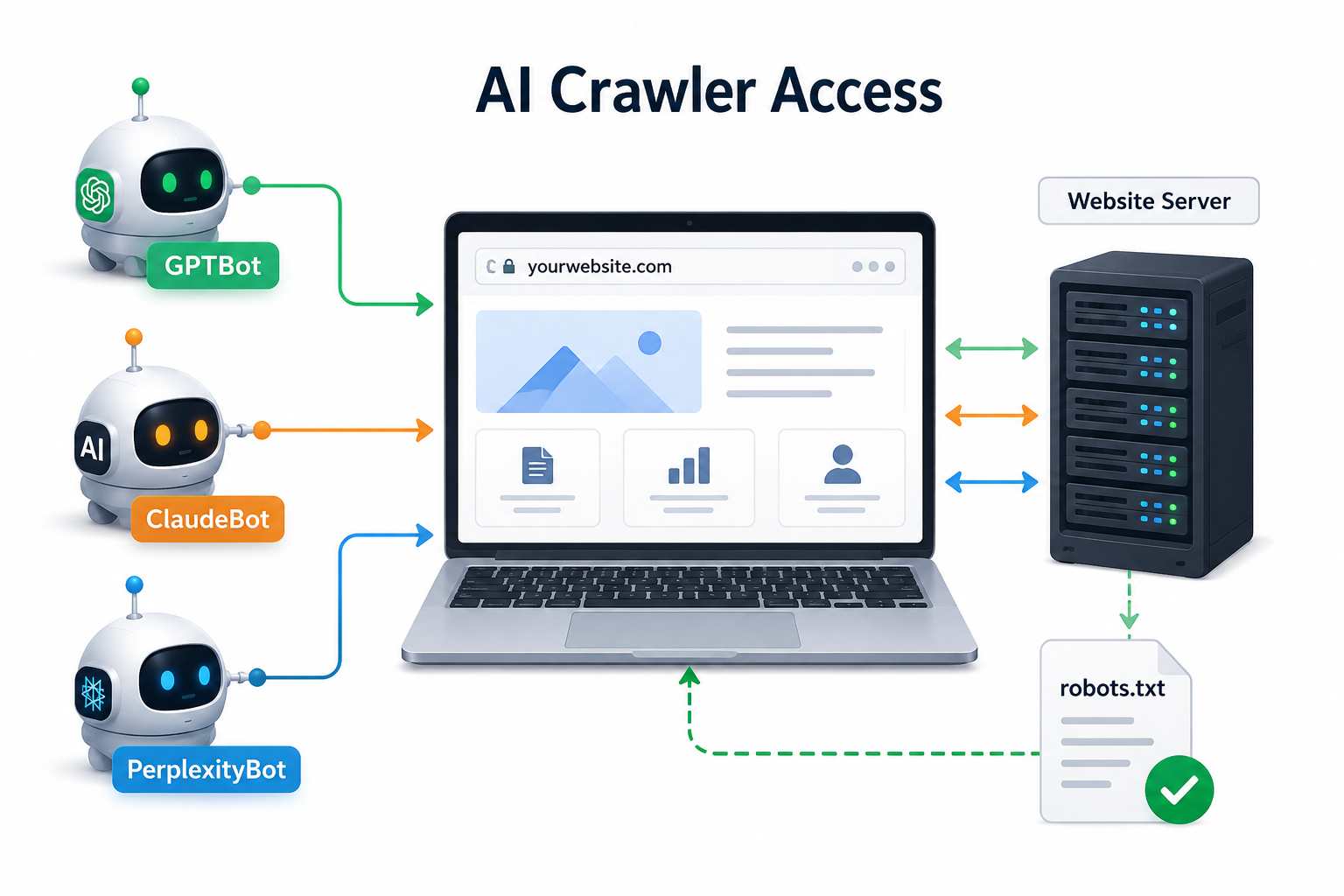
AI crawler start by visiting publicly accessible webpages and checking your website’s robots.txt file to determine whether they have permission to crawl. If access is allowed, they read the page’s HTML, follow internal links, and collect information from crawlable content. This process helps AI systems discover new pages, understand website content, and improve their ability to provide relevant answers in AI-powered search experiences.
Major AI Crawlers You Should Know
Several AI companies operate their own web crawlers. If you’re planning how to let AI crawler access your site, these are the most important ones to know:
- GPTBot (OpenAI): Crawls publicly available web content that may be used to improve OpenAI’s AI systems and related services.
- ClaudeBot (Anthropic): Visits websites to collect publicly accessible information that supports Anthropic’s AI models and services.
- PerplexityBot (Perplexity AI): Crawls web content to discover and retrieve information that can be used in Perplexity’s AI-powered search experience.
Each crawler follows its own user agent and respects website permissions defined in robots.txt, allowing website owners to choose whether these bots can access their content.
How AI Crawlers Access Your Website
AI crawler access websites much like traditional search engine bots. They begin by discovering a webpage through links, sitemaps, or other publicly available sources. Before crawling any content, they typically check the website’s robots.txt file to determine whether they have permission to access specific pages or sections.
If crawling is allowed, the bot requests the webpage from the server, reads the HTML content, and follows internal links to discover additional pages. The information it collects helps AI systems understand the content and retrieve relevant information for AI-powered search experiences.
Several factors can affect whether AI crawlers can successfully access your website. These include robots.txt directives, server response codes, authentication requirements, crawlable HTML content, and technical issues such as broken links or blocked resources. Keeping your website accessible and properly configured ensures AI crawlers can efficiently discover and process your content.
Understanding robots.txt for AI Crawlers
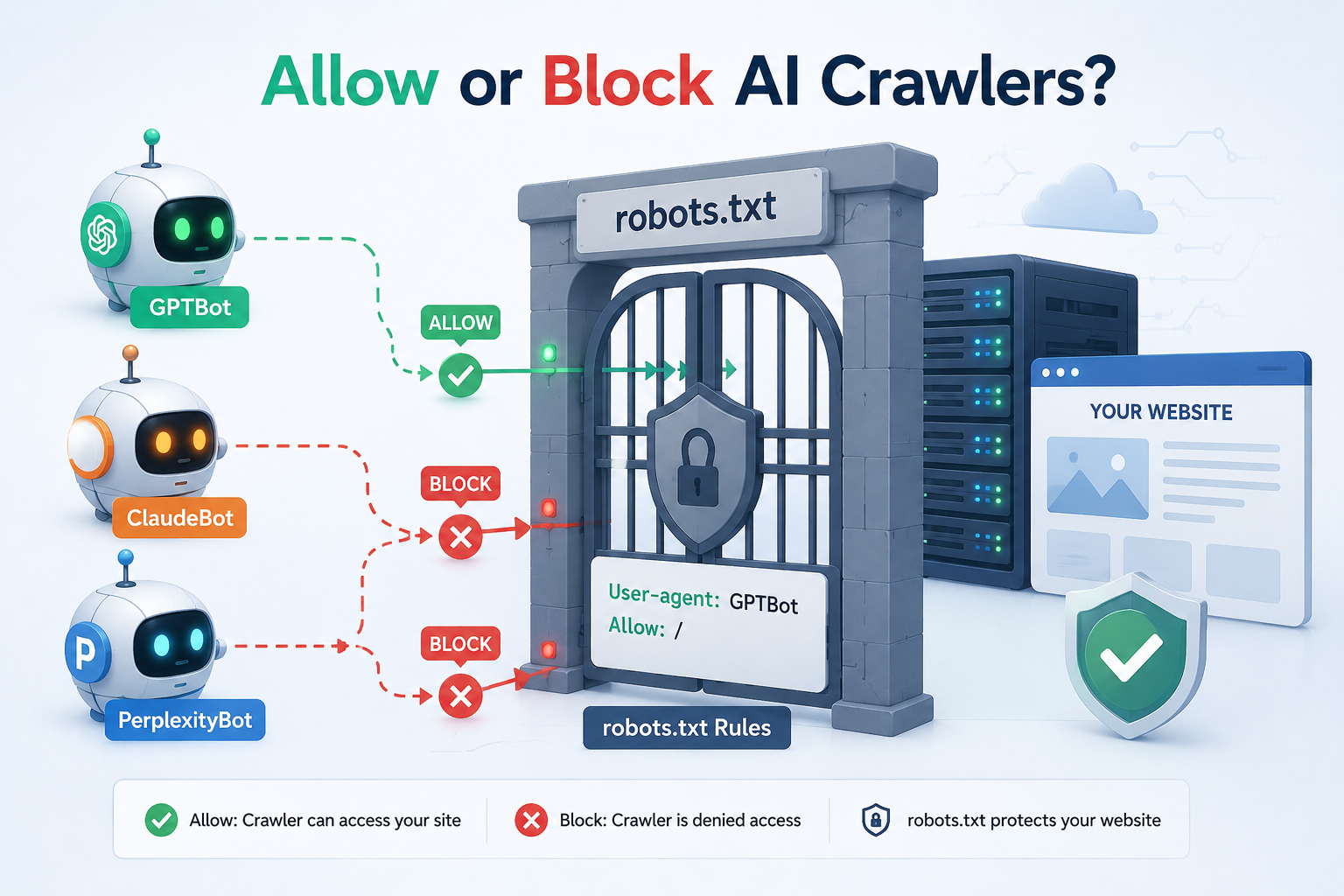
The robots.txt file is a simple text file located in your website’s root directory that tells web crawlers which parts of your site they can or cannot access. Before crawling a website, most AI crawlers and search engine bots check this file to determine whether they have permission to visit specific pages or directories. While robots.txt helps control crawler access, it does not remove content that has already been crawled or learned by AI systems.
A robots.txt file uses a few basic directives to communicate with crawlers. The most common are:
- User-agent: Specifies which crawler the rule applies to (such as GPTBot or ClaudeBot).
- Allow: Grants the crawler permission to access a page or directory.
- Disallow: Prevents the crawler from accessing a page or directory.
Below is a simple example of a robots.txt file that allows GPTBot to crawl the entire website while blocking ClaudeBot from accessing it:
User-agent: GPTBot
Allow: /

User-agent: ClaudeBot
Disallow: /
Website owners can customize these directives to control how different AI crawlers access their content based on their visibility goals and content policies.
How to Allow AI Crawlers Using robots.txt
If you want AI platforms to access your publicly available content, you can allow their crawlers through your website’s robots.txt file. This file lets you define crawl permissions for individual bots using their user-agent names. If a crawler is allowed, it can access the pages that are not otherwise restricted.
Allowing GPTBot (OpenAI)
To allow GPTBot to crawl your entire website, add the following directives to your robots.txt file:
User-agent: GPTBot
Allow: /
This tells GPTBot that it has permission to crawl all publicly accessible pages on your website.
Allowing ClaudeBot (Anthropic)
To allow ClaudeBot, use the following configuration:
User-agent: ClaudeBot
Allow: /
This allows Anthropic’s crawler to access your site’s content, provided there are no other restrictions in place.
Allowing PerplexityBot
To grant PerplexityBot access, add the following rule:
User-agent: PerplexityBot
Allow: /
This enables Perplexity’s crawler to visit and process your publicly available webpages.
Allowing AI crawlers gives them permission to visit and crawl the pages you’ve made publicly accessible. They can read your HTML content, follow internal links, and discover new pages based on your site’s structure.
This can help AI platforms better understand your website and may increase the likelihood of your content being available for AI-powered search experiences. However, allowing a crawler does not guarantee that your content will be indexed, cited, or used in AI-generated responses.
How to Block AI Crawlers Using robots.txt
If you don’t want certain AI crawlers to access your website, you can block them using the Disallow directive in your robots.txt file. This tells the specified crawler not to crawl your website or selected sections of it. Website owners often use this approach to control how their publicly available content is accessed by AI platforms.
Blocking Specific AI Crawlers
To block an individual AI crawler, specify its user-agent and use the Disallow directive. For example, to prevent GPTBot from crawling your website:
User-agent: GPTBot
Disallow: /
Similarly, you can block other AI crawlers by replacing the user-agent name:
User-agent: ClaudeBot
Disallow: /
User-agent: PerplexityBot
Disallow: /
Reasons Websites May Block AI Crawlers
Some website owners choose to block AI crawlers to maintain greater control over how their content is accessed. Common reasons include protecting proprietary content, complying with licensing or legal requirements, safeguarding sensitive information, or following an internal AI content policy. The decision depends on each organization’s business goals and content strategy.
Allowing vs Blocking AI Crawlers: Pros and Cons
Whether you should allow or block AI crawlers depends on your website’s goals. Allowing AI crawlers can help AI platforms discover your content and improve your visibility in AI-powered search experiences.
On the other hand, blocking AI crawlers gives you greater control over how your content is accessed, which may be important for websites with proprietary, licensed, or sensitive information.
| Allowing AI Crawlers | Blocking AI Crawlers |
|---|---|
| Increases the chances of AI systems discovering your content | Prevents future crawling by the blocked AI crawler |
| Supports visibility in AI-powered search experiences | Gives greater control over content access |
| Helps AI platforms understand newly published content | Reduces exposure of publicly available content to AI crawlers |
| May improve opportunities for AI references and retrieval | Suitable for proprietary, licensed, or sensitive content |
| Best for websites focused on AI visibility and discoverability | Best for websites prioritizing content protection and control |
Does Blocking AI Crawlers Remove Your Content From AI Models?
Blocking an AI crawler only affects future crawling. It does not automatically remove content that has already been accessed or processed by AI systems.
Understanding the Difference Between Crawling and Existing AI Knowledge
- Crawling means an AI bot visits your website and collects publicly available content.
- Blocking a crawler prevents it from accessing your site in the future.
- It does not remove information that may have already been processed or stored by AI systems.
Common Myth About Blocking GPTBot
Myth: Blocking GPTBot removes your content from ChatGPT.
Reality: Adding the following rule only stops future crawling by GPTBot. It does not erase previously accessed content or existing AI knowledge.
User-agent: GPTBot
Disallow: /
Which AI Crawlers Should You Allow?
The AI crawlers you allow should depend on your website’s goals, content strategy, and business requirements. There is no universal recommendation, as the right choice varies for every organization.
For Businesses Seeking AI Visibility
If your goal is to improve visibility in AI-powered search experiences, consider allowing trusted AI crawlers such as:
- GPTBot (OpenAI)
- ClaudeBot (Anthropic)
- PerplexityBot (Perplexity AI)
Allowing these crawlers gives them permission to discover your publicly available content.
For Websites With Content Restrictions
If your website contains proprietary, licensed, or sensitive content, you may choose to block some or all AI crawlers.
Common reasons include:
- Protecting intellectual property
- Meeting licensing requirements
- Following internal AI content policies
How to Decide Your AI Crawler Policy
Before allowing or blocking AI crawlers, consider:
- Your business goals and AI visibility strategy
- The type of content you publish
- Privacy and legal requirements
- Whether the benefits of AI discoverability outweigh the need for content control
How to Check If AI Crawlers Can Access Your Site
To verify that AI crawlers can access your website, first review your robots.txt file to ensure GPTBot, ClaudeBot, or PerplexityBot are not unintentionally blocked and that the correct user-agent names are used.
Next, check your server logs to confirm whether these crawlers have visited your site. Finally, test your robots.txt configuration with a robots.txt testing tool and make sure your important pages are publicly accessible and return a valid HTTP status code.
AI Crawlers and AEO: The Connection
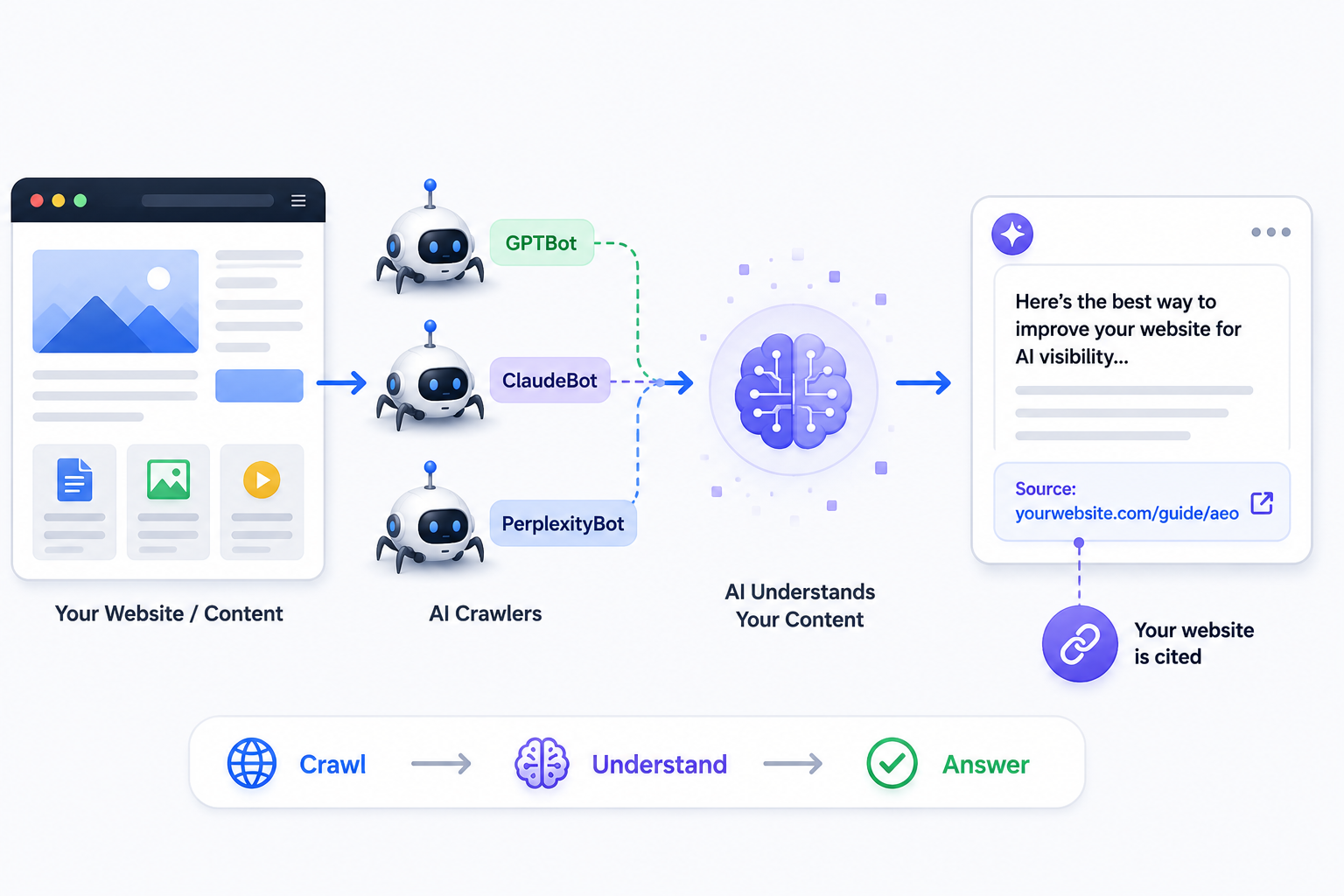
Allowing AI crawlers is the first step toward AI visibility, but it is only one part of a successful AEO strategy. To improve your chances of being discovered and referenced by AI systems, you should also focus on:
- Publishing high-quality, helpful content
- Using structured data where appropriate
- Building strong entity signals
- Making your website technically accessible and easy to crawl
Final Thoughts
AI crawlers help AI platforms discover publicly available content, and your robots.txt file gives you control over whether they can access your website. Whether you choose to allow or block AI crawlers should depend on your business goals, content strategy, and privacy requirements.
By combining proper crawler management with strong technical SEO and AEO best practices, you can make your website more accessible to AI-powered search experiences.

Shanya
Hi, I'm Shanya, an SEO and content writer at RankingBite. I specialize in creating SEO-focused content around search, AI, cybersecurity, and digital marketing. I enjoy turning complex topics into clear, useful content that helps brands build visibility, connect with their audience, and grow their digital presence.